
Students, you’ve found the right place.
Top Hat was created by students for students, with the goal of helping everyone succeed in higher education. Whether you're logging in for the first time or looking to get the most out of our platform, we’re here to help.

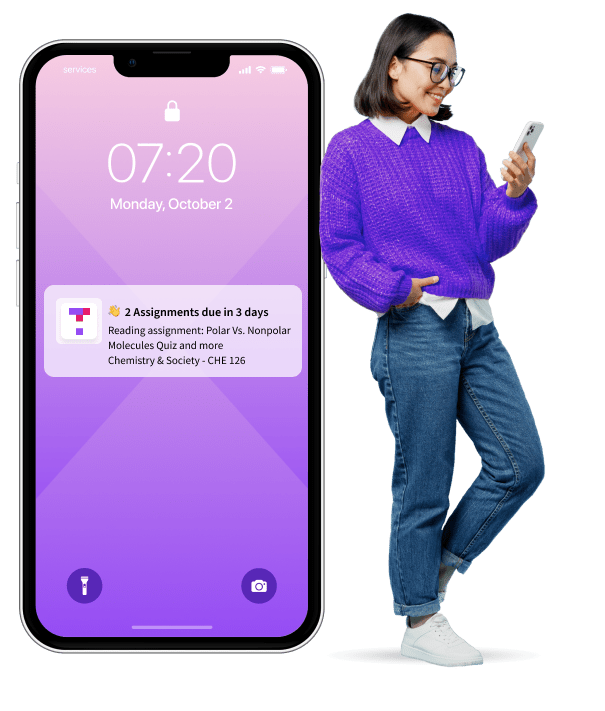
Learn from your phone in your favorite study zone.
The Top Hat mobile app makes it easy to stay on track in and outside of class. Confirm your attendance, respond to polls and discussions, get timely notifications, and access your coursework—whenever and wherever you want.


How-To Videos
How to join your Top Hat course:

How to access your Top Hat eText:

Tips from fellow students:




See why students like you love Top Hat:








Frequently Asked Questions
You can use Top Hat through an internet browser or through our mobile app. The Top Hat mobile app can be downloaded on both iOS (Apple) and Android devices. For internet browsers, Top Hat can be used on the three latest versions of Google Chrome, Mozilla Firefox, Safari as well as Microsoft Edge. Top Hat is optimized for Google Chrome and Mozilla Firefox, so we recommend you use one of those two browsers. Please note that Top Hat does not support Internet Explorer.
Once you receive a course join code from your instructor, you can enter it here and follow the prompts to create or log into your account. For more detailed instructions on creating your account, check out this support article.
If your instructor is assigning a Top Hat interactive textbook it will be included in your purchase, using the unique join code provided by your instructor. If your instructor does not require the Top Hat platform for your course, but you are interested in purchasing a Top Hat eText, please visit our Catalog.
We offer three purchase options for students: $35 for 4 months of access; $58 for 12 months of access; $96 for 4 years of access. You can find out more on our Pricing page.
If your instructor is assigning a Top Hat interactive textbook as part of your course, your access price will be adjusted to include the price of the text.
We offer three different access lengths for students: 4 months, 12 months, or 4 years. The length of your access depends on which you choose to purchase. Please contact Top Hat Support if you have questions about your access.
When you enroll in a Top Hat course that requires paid products, you will usually have the option to initiate a 5-day free trial. If you are enrolling in your instructor's course through a web browser or the iOS app, you can manually start the trial on the checkout page by clicking the Start 5 Day Free Trial button above the required materials listed at checkout. If you are using the Android app, your 5-day free trial begins automatically as soon as you enroll. To take full advantage of the trial, we recommend enrolling or starting your trial on or after your first day of class so you can use Top Hat in your course for free during your first five days.
You can request a refund for a Top Hat product for a period of up to 14 days following your purchase. When a refund is granted, your access to the Top Hat products that were refunded will be immediately terminated and all records (including grades) associated with the products will be permanently deleted. Top Hat can only provide refunds for Top Hat products purchased directly from tophat.com, while Top Hat access keys purchased at a campus bookstore can only be refunded by the bookstore. For more information on requesting a refund, check out this support article.
We're here to help! Navigate to the Top Hat Success Center for a full list of support options, including detailed articles on common questions, phone support, and live chat.